Work · 2022 – 2024 · Microsoft Research
Find My Things: a model is only as good as the system it underpins
Building an AI system powered by computer vision that helps blind or low-vision users find personal objects.
- Role
- Leading model selection trade-offs · Defining system-level success metrics · Human-AI interaction design · Design research
- Focus
- Human-centered AI, Design research, Responsible AI, AI for accessibility
- 115K+ monthly active usersShipped in Seeing AI
- Finalist for Inclusive Design and AIFast Company Innovation by Design 2024
- 2 papersPublished at top HCI venues
What is Find My Things?
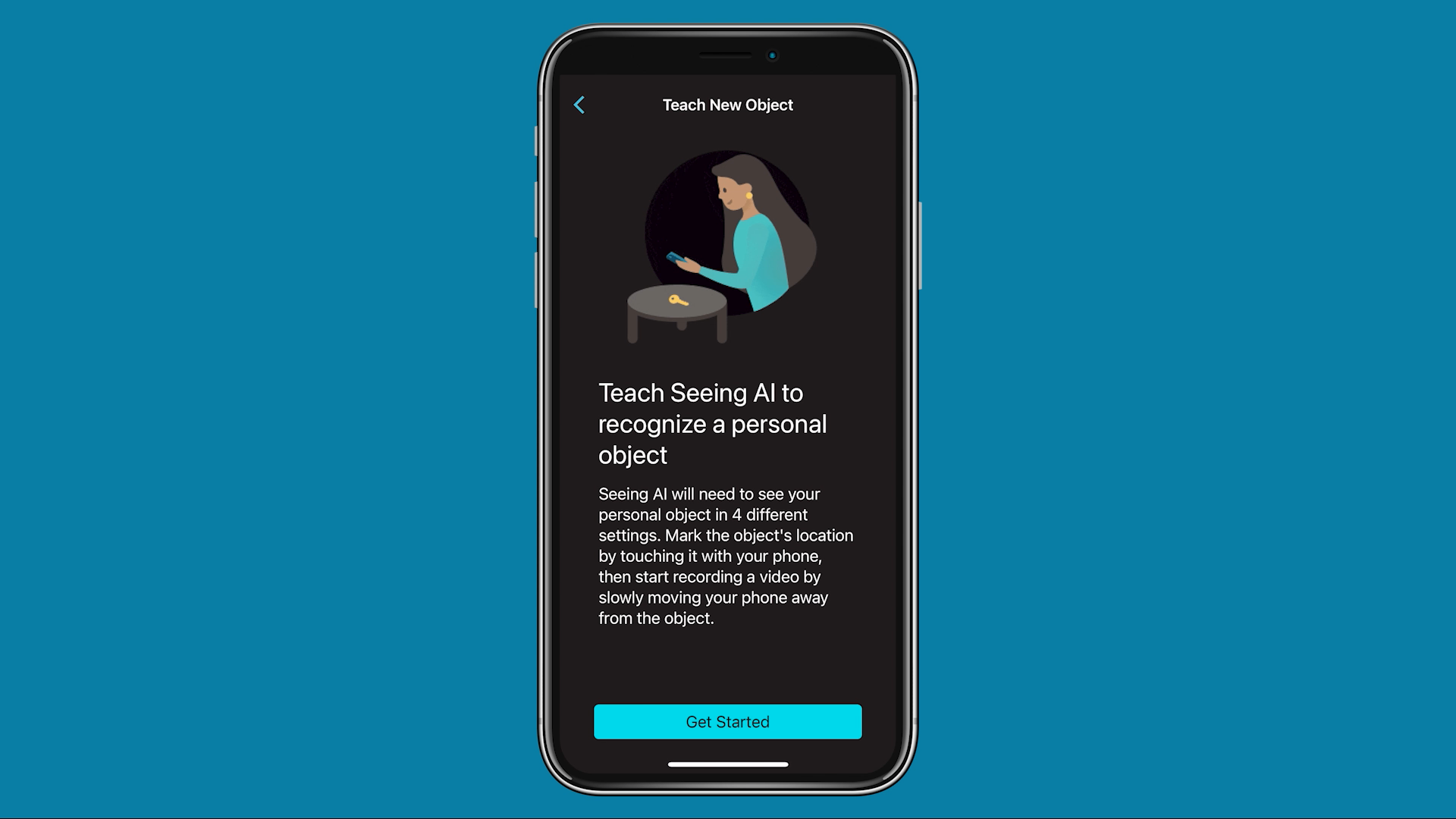
Find My Things is a feature in Microsoft’s accessibility app, Seeing AI, that helps people who are blind or low vision locate their personal objects.
I joined the project as the interaction designer and design researcher, and I am first author on the CHI paper that came out of it. Two questions ran through the work: how to build and evaluate an AI system rather than the model alone, and how to co-design with users to construct a human-AI feedback loop that improves system performance.
Why build a human-AI feedback loop rather than relying on large foundation models?
Rapid advances in image recognition around 2022 made it look like a solved problem. Ask a large foundation model what is in a photo and it will usually tell you. On that view, building a whole custom app to help someone find their own keys seemed redundant.
Nevertheless, the team noticed two problems with these foundation models.
The first problem is that foundation models performed poorly on data from blind or low-vision users. Generic vision-language models are trained on images pulled from the internet. Under- and over-exposure, atypical framing, objects half out of shot: the data does not match what the model expects. GPT-4V would misread a thermometer that a blind user had photographed.


The second problem is that an object recogniser can recognise a category, but not a specific thing. It can recognise a key, but not my keys, my pill bottle, my folding guide cane. And if you are blind, the category is rarely what you need. You already know what keys are. You need to know where yours went.
Human-AI feedback loops answer both gaps: users provide their own examples and personalise the model themselves through few-shot adaptation, then teach, test, adjust and repeat until it performs as they need.
More specifically, this is how the loop works in Find My Things: users record four short videos of their object → a personalised model trains on device in seconds → they scan the room and follow audio, haptic and visual cues to the object → if recognition is poor, they re-record and try again.
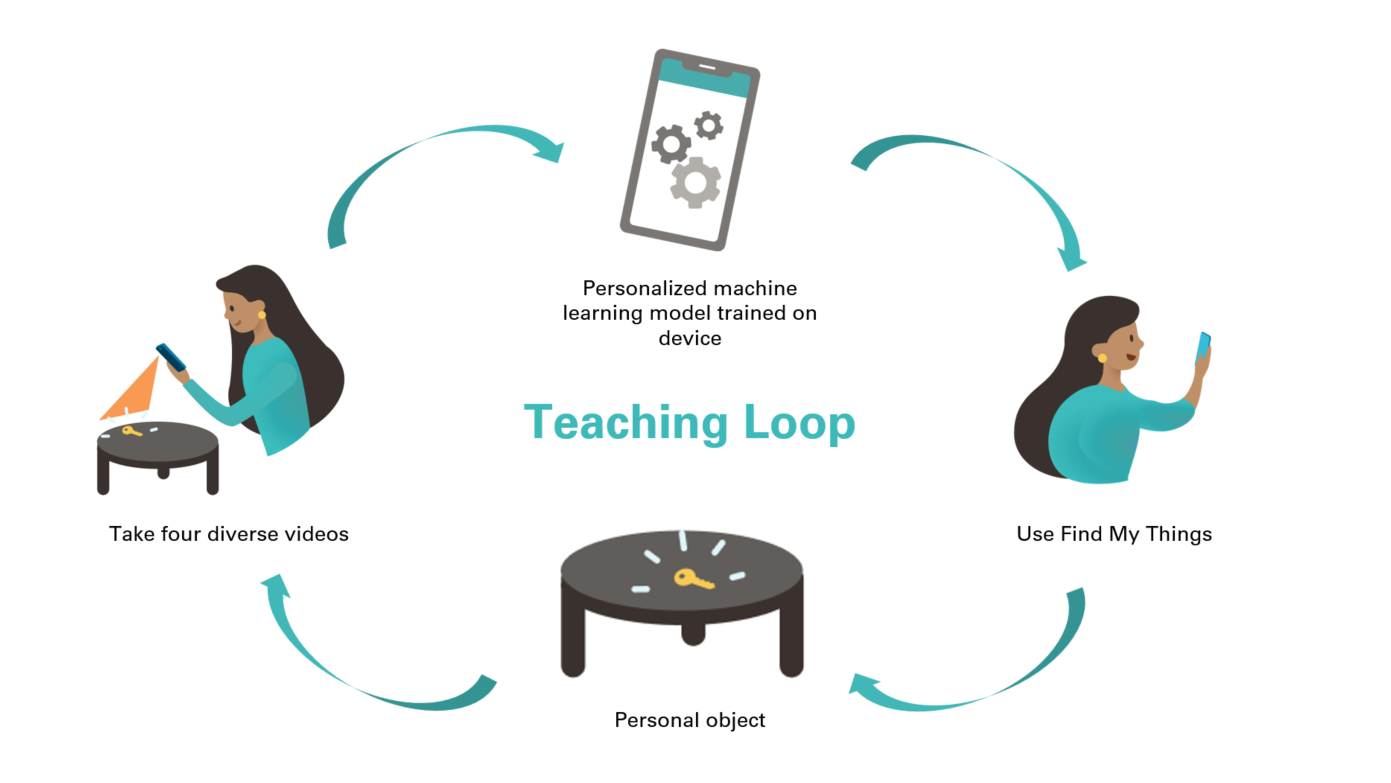
Training the model was never the hard part
The human-AI feedback loop requires teams to think about building AI in a holistic and systemic way, rather than optimising a single component against a benchmark. Three challenges came up in setting up the loop that underpins our AI system.
Challenge 1 — The best model on paper was the worst model in practice
We evaluated three feature extractors. On average frame accuracy, the winner was obvious:
| Feature extractor | Pre-training | Parameters | Avg. frame accuracy |
|---|---|---|---|
| EfficientNetB0 | ImageNet1K (supervised) | 4.01M | 69.8% |
| EfficientNetV2 | ImageNet21K (supervised) | 20.18M | 73.8% |
| ViT-B-32 (CLIP) | LAION2B (self-supervised) | 87.46M | 74.8% |
Then we put them on phones. The two larger models took significantly longer to personalise and to run inference. ViT-B-32 (CLIP) was almost unusable on older iPhones.
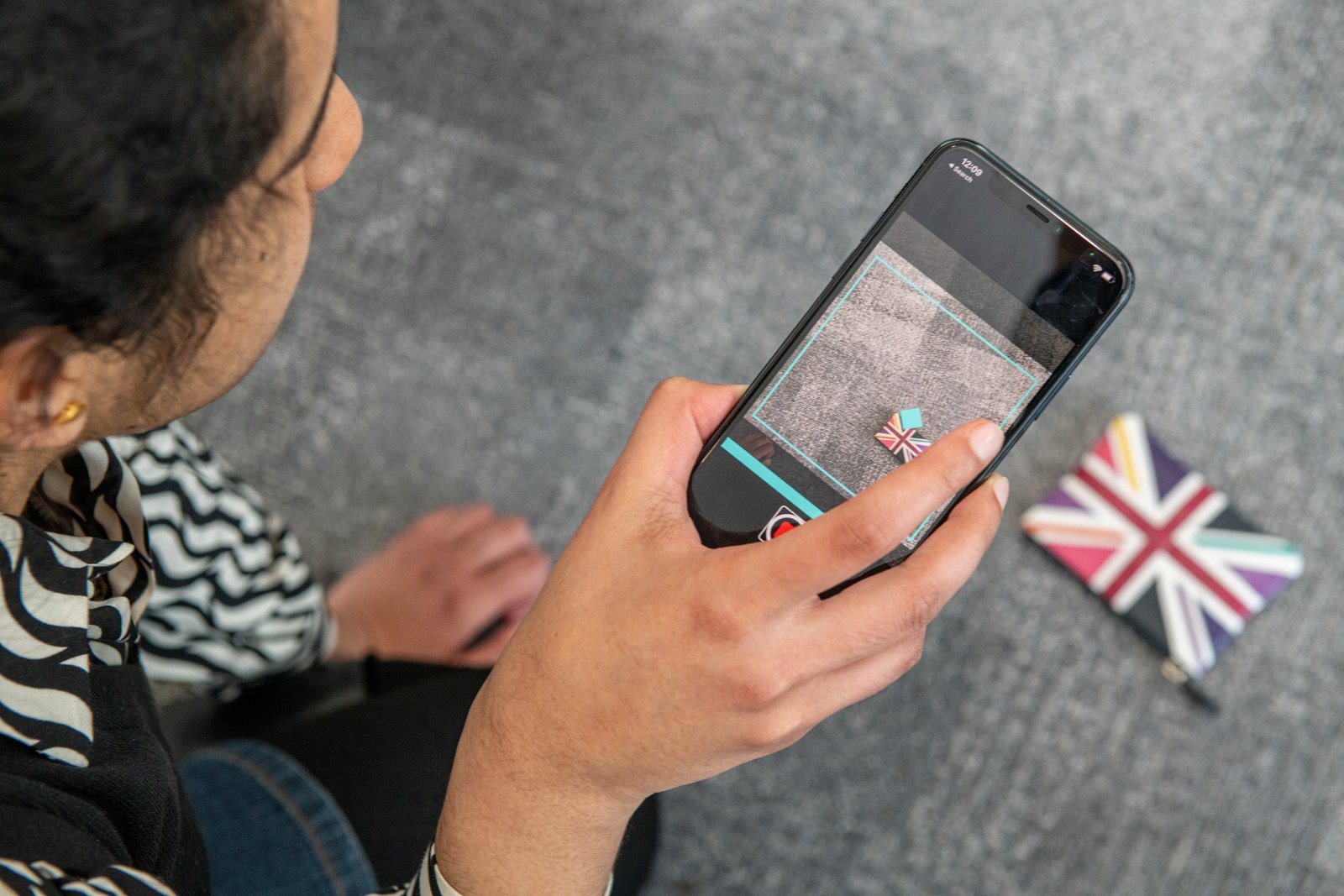
Speed mattered for reasons that have nothing to do with benchmarks.
The model will fail, and it has to fail gracefully. Recognition is sometimes wrong. When it is, the user needs to clear the false lead and move on quickly — which makes inference speed part of the error experience, not a performance stat.
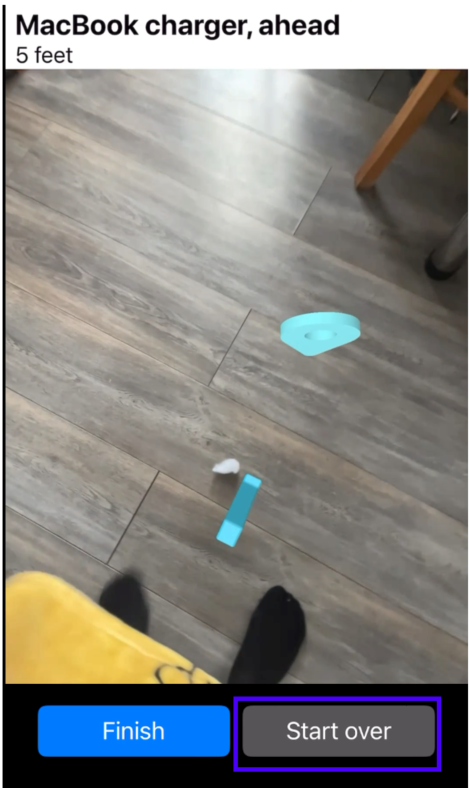
Users test immediately, in context. People taught an object and tried it straight away, on their own carpet, on their own couch. When it failed they formed theories — maybe my glasses are hard to spot on a glass table because they are reflective — re-recorded, and tried again. That loop is where personalisation actually happens, and its speed is set by how fast the model personalises.
I led the team through the trade-off rather than letting the benchmark settle it. We worked through it together: which of latency or accuracy actually governs this experience, and what we could do to mitigate whichever one we gave up. Stronger onboarding to compensate for a weaker model. Restricting the feature to high-end phones that could carry a larger one — an option we rejected, since it would have put the feature out of reach of anyone on an older device.
That exercise took us to a collective decision: ship EfficientNetB0 — the least accurate model. Five percentage points of frame accuracy traded for a model 20x smaller, because personalisation and inference speed are what let a person close the loop, and closing the loop is what gets them to their keys.
Think holistically about the metrics you use to evaluate the whole experience, rather than one component of it (model performance).
Challenge 2 — Users had no mental model of how a camera works
In the user study I watched people position the phone in ways no sighted user would: aiming at the floor when they thought the object was on the floor, at a chair when they thought it was on a chair, holding it flat when they meant to survey the whole room.
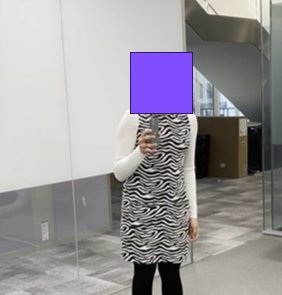
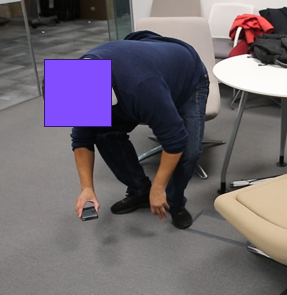
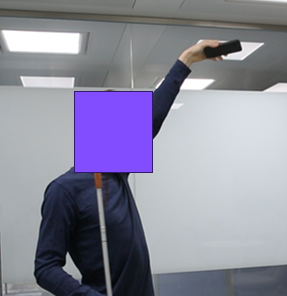
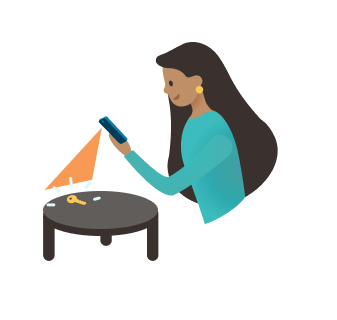
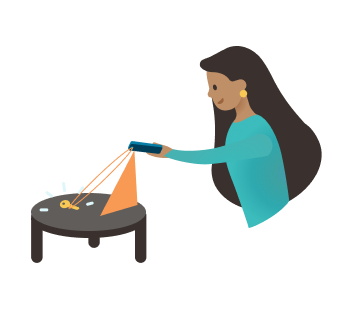
While this is entirely logical, it is not how cameras work. Many of our users, especially those born blind, had never used a camera. Nothing in their experience makes it obvious that a camera sees a cone, or that surveying a room means a slow pan rather than pointing at a place.
This is the failure mode no amount of model quality fixes. No matter how good recognition gets, if a person cannot aim the camera, they cannot find their object.
So we invested in onboarding rather than accuracy. This was one of the mitigations I had put on the table during the model trade-off, and the user study was the evidence for it: teaching people to pan the camera slowly and to record better training examples was cheaper than the engineering time it would have taken to optimise for a higher-accuracy model — and it worked on the bottleneck that actually stood between a user and their keys.
It was onboarding we had assumed we would not need — and metaphor did most of the work. We reinforced the idea that the camera is a pair of eyes. The audio cues are a metal detector. Both import understanding people already have, and both carry the right implications: eyes point somewhere and have a field of view; a metal detector gets louder as you get closer. We built a tutorial teaching the physical technique, like panning the camera slowly.
Challenge 3 — The last mile
Our first audio design keyed feedback to whether the object was in view of the camera.
Then I watched a user struggle to find his keys when they were already at his fingertips. At close range the camera had lost sight of them, so the app went quiet — exactly when he was closest. The system was reporting the camera’s state when he needed the object’s location.
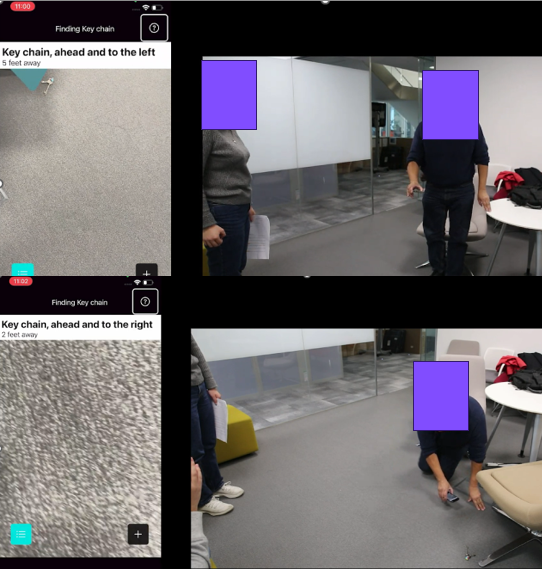
I shared this last-mile challenge with the engineer, who devised a brilliant fix: persist the object’s 3D location rather than its presence in frame. Once localised, the object’s position persists, so guidance keeps working as the phone moves and the object drifts out of shot.
The metaphor was a rubber band: a continuous pull toward the object that tightens as you close in. Tension you can feel, rather than a signal that cuts out at the moment of success.
Impact
The research on Find My Things was published at ASSETS, a leading accessibility research conference, and at CHI, a leading human-computer interaction conference, where I am first author. The papers shared what we learned about co-designing with users, and about developing the models side-by-side with front-end user evaluation.
Find My Things is now a feature in Seeing AI, which has 115K+ monthly active users, and the work was a 2024 Fast Company Innovation by Design finalist in AI and Inclusive Design. It was also named one of Microsoft’s 50 AI milestones.
What I would take to the next project
- Evaluate a model in the system and experience it would be deployed in, rather than focusing on isolated aggregate metrics.
- Test early and iteratively. This is how we caught fundamentally wrong assumptions about users’ mental model of the app. It matters especially in accessibility research, where the point is to design with users rather than just for them.
- Metaphor is an interface. Pair of eyes and metal detector did more onboarding work than any instruction we wrote, because they import understanding people already have.
- Don’t shy away from failure cases. The failure examples I collected from user research sessions were a great catalyst for the team to discuss model evaluation and front-end design choices. They align the team, and they motivate it to solve the problem.